How to Use ChatGPT in Your Business Workflows: A Beginner’s Guide to AI Automation
Introduction
Running a small business has never offered more opportunity—or demanded more from the person in charge.
A solopreneur may be responsible for marketing, customer service, sales, content creation, research, bookkeeping, project management, and daily administration. Every one of these responsibilities generates small, repetitive tasks that consume time and attention.
You may answer the same customer questions repeatedly, turn rough notes into polished emails, copy form submissions into spreadsheets, summarize research, prepare social posts, follow up with leads, and organize project information. Individually, these tasks may not seem significant. Together, they can consume most of the working day.
ChatGPT can help reduce that workload.
Used correctly, ChatGPT can become an important component of your business workflows. It can analyze text, organize information, create first drafts, extract useful details, summarize documents, suggest next steps, and transform one piece of information into several useful outputs.
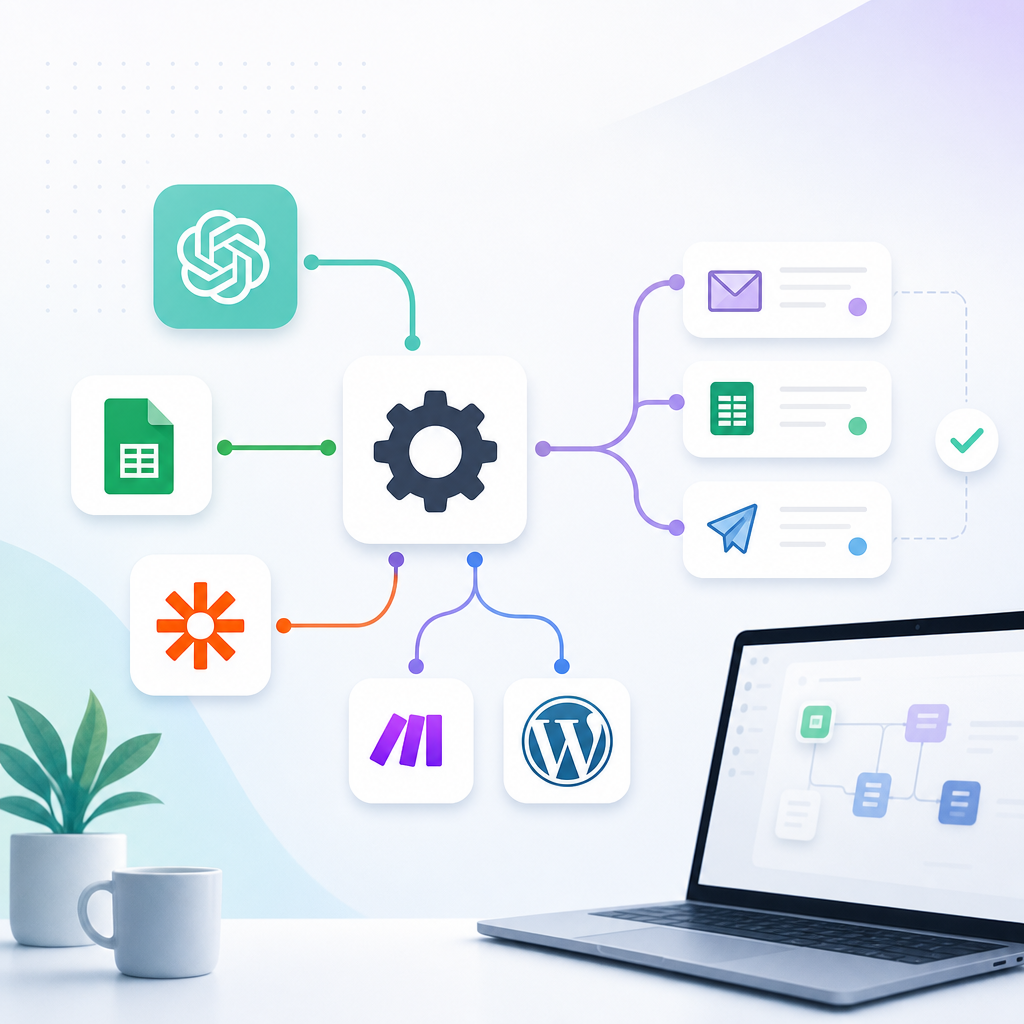
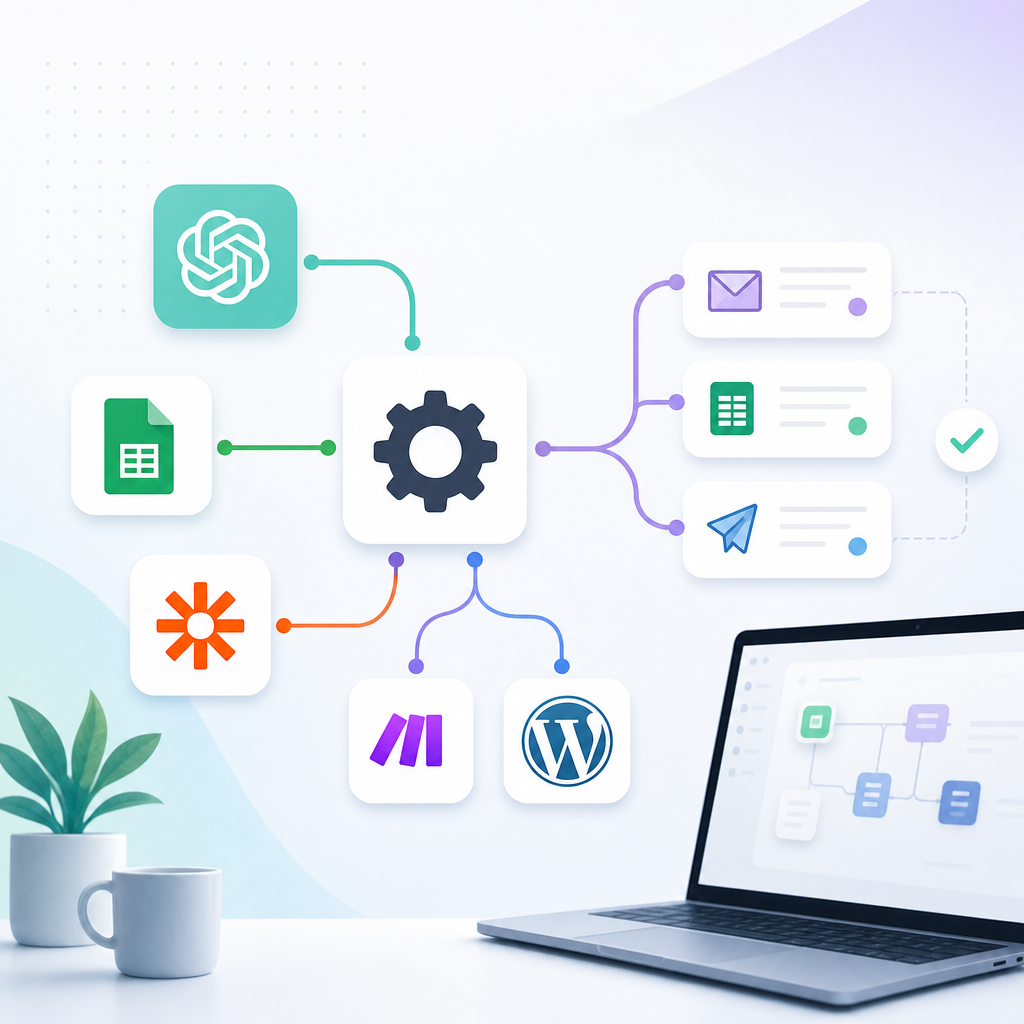
More importantly, you do not need to become a programmer to begin benefiting from it. You can start with simple prompt-based workflows inside ChatGPT and gradually progress to more advanced no-code automations using platforms such as Zapier or Make.
The objective is not to turn every business decision over to AI. The objective is to create repeatable systems that reduce administrative work while keeping you in control of important decisions.
This guide explains how to use ChatGPT in your business workflows, which processes are best suited to automation, how to build reliable prompts, and how to implement no-code automation safely.
What Is ChatGPT?
ChatGPT is an AI product developed by OpenAI. It can work with natural-language instructions and help users draft, summarize, analyze, organize, brainstorm, and create different types of business material.
Depending on the available tools and plan, ChatGPT can also work with uploaded files, analyze structured data, create tables and charts, and help produce documents and other deliverables. OpenAI’s ChatGPT overview describes these broader work capabilities, while its data-analysis guidance explains how uploaded files can be examined and visualized.
Unlike traditional software, ChatGPT does not require every instruction to be presented as a menu selection or fixed command. You can describe what you need in ordinary language.
For example, you could ask:
Review these customer questions, group them by topic, identify the five most common problems, and recommend articles that would answer those problems.
ChatGPT can then transform unorganized customer messages into useful business intelligence.
However, ChatGPT should not be treated as a guaranteed source of truth. It can misunderstand instructions, overlook information, or generate inaccurate statements. Its work should be reviewed, especially when the output affects customers, finances, legal obligations, or public communications.
ChatGPT Assistance Versus Automated Workflows
It is important to distinguish between using ChatGPT manually and placing AI inside an automated process.
Manual ChatGPT Assistance
In a manual workflow, you provide the information and request the output yourself.
For example:
- Copy customer reviews into ChatGPT.
- Ask it to summarize recurring complaints.
- Review the response.
- Transfer the useful findings into your planning document.
This still saves time, but you initiate and complete each stage manually.
Reusable ChatGPT Workflow
A reusable workflow uses a consistent instruction set, template, project, or available workspace capability to perform the same type of task repeatedly.
For example:
- Upload a weekly sales report.
- Run the same analysis instructions.
- Receive the report in a consistent format.
- Review the results and decide what to do.
OpenAI also provides features intended to support repeatable workflows, although availability can depend on the user’s plan or workspace. OpenAI describes skills as reusable instructions for recurring work and workspace agents as tools for repeatable processes involving connected applications. OpenAI’s skills guide and workspace agents overview provide more information.
Fully Connected Automation
In a connected workflow, another application triggers the process automatically.
For example:
- A customer submits a website form.
- Zapier or Make retrieves the submission.
- An OpenAI-powered step summarizes and categorizes it.
- The information is added to a CRM.
- A response is drafted.
- You receive an approval request.
- The approved message is sent.
This is the level at which ChatGPT-related capabilities become part of a broader business system.
How ChatGPT Can Benefit a Small Business
Save Time on Repetitive Work
ChatGPT can reduce the time required to complete language-heavy tasks such as:
- Drafting routine emails.
- Summarizing meetings.
- Organizing notes.
- Preparing article outlines.
- Rewriting product descriptions.
- Categorizing customer feedback.
- Creating first drafts of reports.
- Converting articles into social content.
The final result may still require editing, but starting with a structured draft is usually faster than beginning with a blank page.
Improve Consistency
A business can use repeatable instructions to maintain greater consistency across its communications.
Your workflow can specify:
- Brand voice.
- Preferred terminology.
- Required sections.
- Words or claims to avoid.
- Formatting rules.
- Calls to action.
- Escalation requirements.
- Approval procedures.
The more clearly these rules are documented, the more consistently ChatGPT can assist with recurring tasks.
Process More Information
A solopreneur may not have time to read hundreds of reviews, survey responses, or support messages. ChatGPT can help organize large volumes of text and identify recurring themes.
This can reveal:
- Common customer questions.
- Reasons customers hesitate to purchase.
- Product features people value.
- Frequent complaints.
- Content gaps.
- Opportunities for new products or services.
Create More From Existing Work
ChatGPT can help transform one original asset into several derivative assets.
For example, one blog article could become:
- A newsletter.
- A LinkedIn post.
- A social thread.
- A Facebook post.
- An Instagram carousel outline.
- A short-form video script.
- A customer FAQ.
- Several promotional emails.
This allows you to extract more value from work you have already completed.
Respond More Quickly
ChatGPT can prepare response drafts for inquiries, support requests, and sales leads. When combined with an approval workflow, this reduces response time without allowing unreviewed AI messages to reach customers.
Practical Ways to Use ChatGPT in Business Workflows
1. Customer-Service Workflow
Customer service is an excellent candidate for AI assistance because many requests fall into recurring categories.
ChatGPT can help:
- Categorize customer messages.
- Summarize long complaint threads.
- Identify urgency.
- Search approved information.
- Prepare draft responses.
- Suggest when a message should be escalated.
- Turn recurring questions into FAQ topics.
Example Workflow
Trigger: A customer submits a support form.
Process:
- The message is collected.
- AI classifies it as a shipping question, product question, return request, complaint, or other issue.
- The system retrieves any relevant order details.
- ChatGPT prepares a response using approved policies.
- The draft is sent to a human reviewer.
- The approved response is delivered.
- The support record is updated.
Example Instruction
Classify the customer message into one of these categories: shipping, product information, return request, damaged item, complaint, or other. Provide a one-sentence summary and draft a helpful response. Use only the policy information supplied. Do not promise a refund, replacement, or delivery date. Flag any message involving legal threats, chargebacks, safety concerns, or abusive language for human review.
Human Review Required
Refunds, disputes, angry customers, safety concerns, and legal threats should always be handled by a person.
2. Content-Creation Workflow
ChatGPT can support the entire content-production process, but each stage should have a clear purpose.
A Structured Content Workflow
- Add a topic and primary keyword to your content database.
- Define the audience and search intent.
- Gather reliable sources.
- Ask ChatGPT to organize the research.
- Create a detailed content brief.
- Develop an outline.
- Draft the article section by section.
- Review every factual claim.
- Add internal links and a relevant call to action.
- Publish the approved article.
- Begin the content-repurposing workflow.
Better Content Instructions
Instead of asking:
Write an article about AI automation.
Use an instruction such as:
Create a detailed article for solopreneurs who are new to automation. Explain what an AI workflow is, how triggers and actions work, which tasks should be automated first, and where human review is necessary. Use a practical, authoritative, beginner-friendly tone. Include examples involving lead capture, customer follow-up, and content repurposing. Do not invent statistics. End with a call to action for our no-code automation starter guide.
Specific instructions produce more useful and consistent content.
3. Content-Repurposing Workflow
Repurposing should adapt the original idea to each platform rather than simply shorten the article.
Example Workflow
Trigger: A new WordPress article is published.
Process:
- Retrieve the title, article, category, and URL.
- Ask ChatGPT to identify the central argument.
- Extract several useful lessons or examples.
- Create a newsletter version.
- Draft a LinkedIn post.
- Create a short social thread.
- Prepare an Instagram carousel.
- Write a Facebook post.
- Draft a short video script.
- Add all assets to the content calendar.
- Send them for approval.
Repurposing Instruction
Analyze this article and identify its central message, three supporting ideas, and one practical action readers can take. Then create separate assets for LinkedIn, Facebook, Instagram, email, and a 60-second video. Adapt the structure, length, tone, and call to action to each platform. Do not simply shorten the same text five times.
4. Email Management Workflow
Email is one of the largest sources of repetitive work in a small business.
ChatGPT can help:
- Summarize long messages.
- Identify the sender’s request.
- Extract deadlines and action items.
- Categorize emails.
- Prepare response drafts.
- Convert commitments into tasks.
- Create follow-up reminders.
Example Workflow
Trigger: A new message arrives in a designated inbox or folder.
Process:
- Retrieve the email.
- Classify it as customer service, sales, vendor, administrative, newsletter, or spam.
- Summarize the request.
- Extract names, dates, and required actions.
- Draft a response where appropriate.
- Create a task when follow-up is required.
- Alert you when the message is urgent.
Do not automatically send replies involving contracts, payments, complaints, deadlines, or significant commitments.
5. Lead-Management Workflow
A fast response can make a meaningful difference when a potential customer contacts your business.
Example Workflow
Trigger: A prospect submits a contact or quotation form.
Process:
- Collect the lead’s information.
- Check for an existing customer record.
- Use AI to identify the person’s main need.
- Categorize the lead by product or service.
- Assign a preliminary priority.
- Add the lead to a spreadsheet or CRM.
- Draft a personalized acknowledgment.
- Create a follow-up reminder.
- Notify you about high-priority opportunities.
Lead-Analysis Instruction
Analyze the inquiry and return the requested service, budget if stated, preferred timeline, main concern, missing information, and recommended next step. Do not infer facts that were not provided. Draft a concise acknowledgment, but do not promise pricing, availability, or results.
6. Research and Competitive-Analysis Workflow
ChatGPT can help organize research, compare information, and convert raw notes into decision-ready summaries.
It can assist with:
- Grouping competitor features.
- Comparing product positioning.
- Organizing search results.
- Summarizing industry reports.
- Identifying common content themes.
- Finding unanswered customer questions.
- Developing research-based content briefs.
However, ChatGPT should not be asked to invent current competitor facts from memory. Provide reliable source material or use research capabilities that can access and cite current information.
Example Output Structure
Ask for:
- Confirmed findings.
- Important similarities.
- Meaningful differences.
- Possible content gaps.
- Questions requiring additional research.
- Strategic recommendations.
- Sources supporting each conclusion.
This makes it easier to distinguish evidence from speculation.
7. Data-Analysis Workflow
ChatGPT can analyze uploaded spreadsheets and help create summaries, tables, and charts. OpenAI recommends using structured files with clear column names and one record per row when possible. OpenAI’s data-analysis guidance explains this process.
Business Questions You Can Ask
- Which products generated the most revenue?
- Which articles attracted the most conversions?
- How did sales change from one month to the next?
- Which customer segment has the largest average order value?
- Which marketing channel produced the strongest return?
- Are there unusual changes that need investigation?
- Which products have declining sales?
Example Instruction
Analyze this sales file. Confirm the date range and identify missing or inconsistent values before calculating results. Then show total revenue, order volume, average order value, five highest-performing products, five lowest-performing products, and month-over-month changes. Create a concise summary and separate confirmed findings from possible explanations.
The distinction between confirmed findings and possible explanations is critical. ChatGPT may identify that sales declined, but additional evidence is needed to determine why.
8. Meeting and Project-Management Workflow
Meeting notes frequently contain decisions, deadlines, questions, and assignments that must be organized afterward.
ChatGPT can turn unstructured notes into:
- Meeting summaries.
- Decisions made.
- Action items.
- Responsible parties.
- Deadlines.
- Unanswered questions.
- Follow-up messages.
- Project-board tasks.
Example Instruction
Convert these meeting notes into a structured summary. Include the objective, decisions, action items, responsible person, deadline, unresolved questions, and risks. Do not assign responsibility or deadlines unless they appear in the notes. Place missing information in a “Needs Confirmation” section.
9. Product-Description Workflow
Ecommerce businesses may need descriptions, product highlights, FAQs, email copy, and promotional content for every item.
A product workflow can:
- Retrieve verified product information.
- Identify important features.
- Convert features into customer benefits.
- Draft a product description.
- Prepare bullet points.
- Create a meta description.
- Draft promotional posts.
- Identify questions that the supplied information does not answer.
- Submit everything for approval.
The AI should be prohibited from inventing materials, dimensions, warranties, certifications, health benefits, or shipping promises.
10. Weekly Business-Reporting Workflow
ChatGPT can help turn scattered information into a concise weekly report.
A useful report could include:
- Sales and revenue.
- Website traffic.
- Conversion rate.
- Best-performing content.
- Email-list growth.
- Customer-service trends.
- Outstanding invoices.
- Inventory alerts.
- Unfinished projects.
- Priorities for the coming week.
Example Instruction
Review the supplied weekly business data. Compare it with the previous four weeks. Identify significant changes, recurring problems, and areas requiring attention. Separate factual observations from recommendations. List the three most important actions for next week and explain the evidence behind each one.
How to Implement ChatGPT in Your Business Workflows
Step 1: Identify Tasks Worth Improving
Begin by recording repetitive work for one week.
Look for tasks that:
- Occur frequently.
- Follow recognizable steps.
- Consume significant time.
- Depend on reading or writing.
- Require consistent formatting.
- Are easy to review.
- Have a clear final outcome.
Strong starting points include:
- Summarizing emails.
- Drafting routine responses.
- Organizing leads.
- Creating article outlines.
- Repurposing content.
- Preparing meeting summaries.
- Analyzing customer feedback.
- Creating weekly reports.
Do not begin with your most sensitive business process.
Step 2: Document the Existing Process
Before automating anything, write down how the task works today.
Answer these questions:
- What starts the process?
- What information is required?
- What decisions are made?
- What rules must be followed?
- What should the finished result contain?
- Who approves the result?
- Where should the result be stored?
- What should happen if information is missing?
AI cannot repair a process that the business owner does not understand. Documenting the workflow exposes unnecessary steps and unclear responsibilities.
Step 3: Decide the Level of Automation
You have three practical options.
Level 1: Manual Assistance
You copy information into ChatGPT and use the response yourself.
This is the safest and simplest place to begin.
Level 2: Standardized Workflow
You use a saved instruction set or repeatable template so the same task is handled consistently.
This is useful when you perform the task frequently but still want to initiate it manually.
Level 3: Connected Automation
Zapier, Make, or another platform retrieves the information, sends it through an AI-processing step, and completes subsequent actions.
This approach provides the greatest time savings but also requires stronger testing, monitoring, and error handling.
Step 4: Write Better Instructions
A reliable AI instruction should define:
- Role: What perspective should ChatGPT use?
- Task: What exactly should it do?
- Context: What does it need to understand?
- Input: What information will it receive?
- Rules: What must it do or avoid?
- Format: How should the result be structured?
- Quality check: What should it verify?
- Escalation: When should it ask for human review?
Reusable Prompt Framework
You are assisting with [business process].
Your task is to [specific task].
The audience is [intended reader or customer].
Use the following information: [input].
Follow these rules: [requirements and restrictions].
Return the result in this format: [headings, table, fields, or JSON].
Do not invent missing information. If a fact cannot be confirmed, label it “Needs Review.” Flag any situation involving [sensitive conditions] for human approval.
Step 5: Connect Your Applications
A no-code automation platform can connect the applications involved in the workflow.
A basic system might include:
- Trigger source: Website form, Gmail, WordPress, Shopify, or Google Sheets.
- Automation platform: Zapier or Make.
- AI-processing step: An OpenAI-powered action or API connection.
- Storage: Google Sheets, Airtable, Notion, or a CRM.
- Approval system: Email, a status field, or a project-management board.
- Final action: Send, publish, schedule, update, or notify.
You may not need all these components. Use only the tools required to complete the process reliably.
Step 6: Add Human Approval
A practical human-in-the-loop system might use statuses such as:
- New.
- AI Processing.
- Needs Review.
- Approved.
- Rejected.
- Completed.
- Error.
The automation prepares the work, but the status determines whether it can continue.
For example, an AI-generated social post remains in “Needs Review” until you change it to “Approved.” A second automation then schedules the post.
Step 7: Test the Workflow
Test ordinary and unusual situations.
Include:
- Missing information.
- Incorrect formatting.
- Duplicate submissions.
- Extremely long messages.
- Unrelated requests.
- Angry customer language.
- Failed application connections.
- Inaccurate AI output.
- Empty responses.
- Sensitive information.
Testing should answer two questions:
- Does the workflow produce the intended result?
- Does it fail safely when something goes wrong?
Step 8: Measure the Results
Track whether the workflow creates actual business value.
Useful measurements include:
- Hours saved per week.
- Response-time improvement.
- Cost per workflow run.
- Percentage of outputs approved without major revision.
- Number of workflow errors.
- Leads processed.
- Content produced.
- Customer-satisfaction changes.
- Revenue influenced by the workflow.
Automation is valuable when it improves an outcome—not merely when it produces more activity.
Data Privacy and Security
Before submitting business information to any AI tool, determine what that information contains and whether it is appropriate to process.
Avoid entering:
- Passwords.
- API keys.
- Payment-card information.
- Government identification numbers.
- Sensitive health information.
- Confidential legal documents.
- Private employee records.
- Customer data you are not authorized to process.
Review the settings and policies associated with your account. OpenAI provides Data Controls that allow individual users to manage whether new ChatGPT conversations may be used to improve models. OpenAI’s Data Controls FAQ explains those options.
Data policies can differ between individual and business offerings, so choose an account and configuration appropriate for the information your workflow will handle.
What Should Not Be Fully Automated?
Do not give an AI workflow independent authority over high-consequence decisions.
Keep a person responsible for:
- Financial transfers.
- Refund approvals.
- Legal advice.
- Tax decisions.
- Hiring and firing.
- Medical guidance.
- Customer disputes.
- Contract commitments.
- Major pricing changes.
- Public crisis responses.
- Promises involving results or deadlines.
A useful rule is:
The greater the consequence of an error, the more human review the workflow requires.
Common Mistakes to Avoid
Automating Before Understanding the Process
If the current process is disorganized, automation will reproduce that disorder. Document and simplify it first.
Using One Vague Prompt for Everything
Different tasks require different instructions, formats, examples, and restrictions. Build a dedicated template for each recurring process.
Automatically Publishing AI Content
Every public-facing asset should be reviewed for accuracy, tone, originality, and brand alignment.
Allowing AI to Invent Missing Details
Tell ChatGPT to mark missing information instead of filling gaps with assumptions.
Ignoring Workflow Errors
Application connections expire, data formats change, and instructions become outdated. Configure alerts and check workflow history regularly.
Measuring Output Instead of Results
Creating 100 AI-generated social posts is not useful if they generate no engagement, traffic, leads, or sales.
A Simple First Workflow to Build
For many solopreneurs, a content-repurposing workflow is an ideal first project because it is easy to review and carries relatively low risk.
Start with:
Published article → AI summary → three social drafts → Google Sheets review queue
Once that works reliably, expand it to include:
- Newsletter copy.
- LinkedIn content.
- An Instagram carousel.
- A short video script.
- Approval statuses.
- Scheduling.
- Performance tracking.
This creates an immediate operational benefit without placing customer relationships, money, or sensitive data at unnecessary risk.
Conclusion
ChatGPT can be much more than a tool for answering occasional questions. It can become part of a structured operating system for your business.
It can help you prepare customer responses, organize leads, analyze feedback, create content, summarize meetings, examine data, and turn unstructured information into useful business assets.
The greatest benefit does not come from asking ChatGPT to do everything. It comes from identifying repeatable processes and assigning each part to the right participant:
- Automation software moves the information.
- ChatGPT interprets or transforms it.
- Business rules establish boundaries.
- A human reviews important decisions.
- Performance data shows whether the system works.
Start with one frequent, low-risk task. Map the process, create precise instructions, test the workflow, and measure the time saved. Once that workflow is reliable, build the next one.
A collection of small, dependable automations can eventually become the infrastructure that allows a solo business to operate with far greater capacity.
Questions for Readers
- Which repetitive task consumes the most time in your business?
- Could ChatGPT help you summarize, classify, extract, draft, or reorganize the information involved?
- Where would human approval need to remain in the workflow?
- Which applications would need to be connected?
- How would you measure whether the automation is genuinely saving time or improving results?
Take the Next Step
Choose one repetitive task and map it using this structure:
Trigger → input → ChatGPT task → business rules → human approval → final action
Get the Guide: Download the Build Your AI Workflow Without Code Starter Kit for practical workflow templates, reusable AI instructions, testing checklists, and a beginner-friendly plan for building your first business automation.

Every one of these responsibilities generates small, repetitive tasks that consume time and attention. Learn about the Best AI Automation Tools to handle these efficiently.
No responses yet