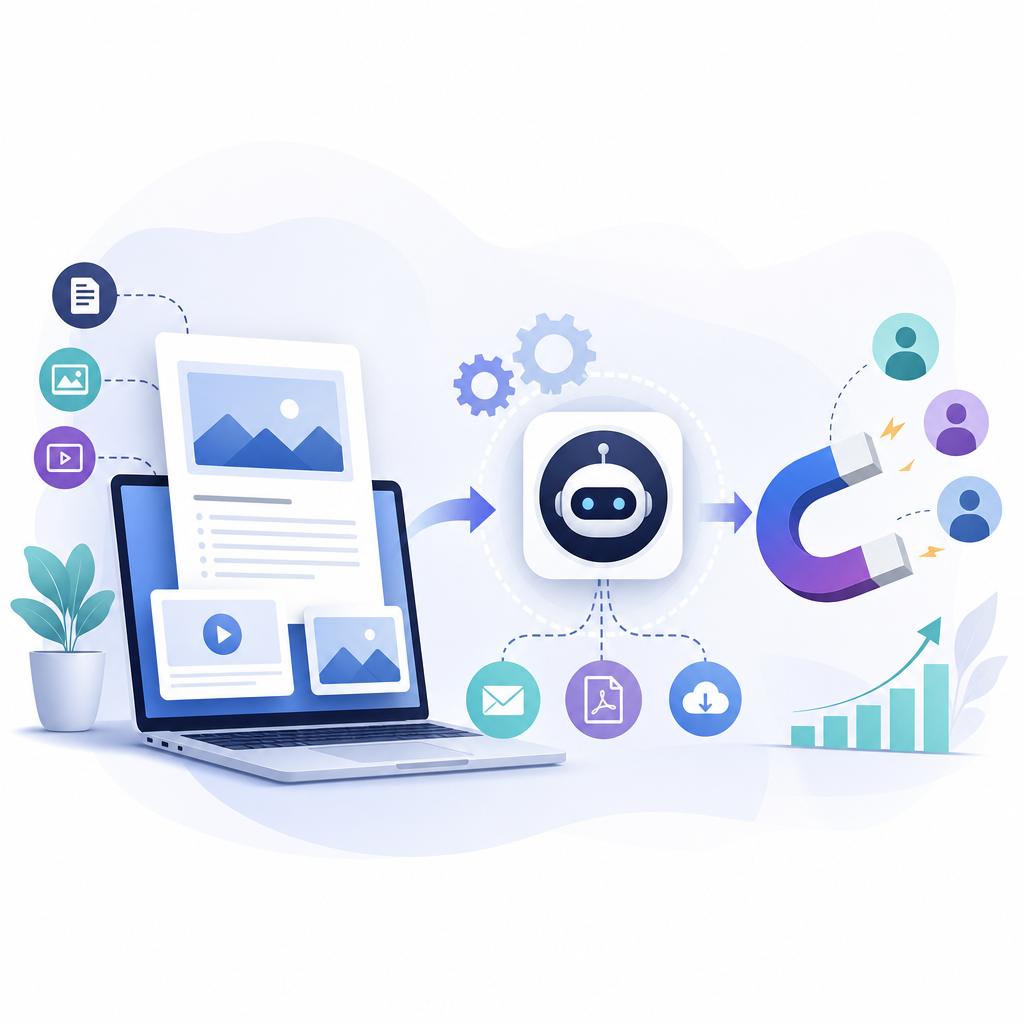
10 AI Workflows Every Solopreneur Should Build
The digital age has created opportunities that previous generations of business owners could scarcely have imagined. A single person can now build a website, sell products internationally, publish content, communicate with customers, manage advertising, and deliver digital services from almost anywhere.
However, this opportunity comes with a serious challenge: the solopreneur is responsible for nearly everything.
When you run a business alone, you are the marketer, salesperson, customer-service representative, project manager, content creator, bookkeeper, and operations department. Even when sales are growing, your available time remains limited. Eventually, performing every task manually creates a bottleneck that prevents the business from growing.
Artificial intelligence and no-code automation offer a practical solution.
AI workflows for solopreneurs can collect information, interpret it, make limited recommendations, generate first drafts, update business records, and trigger the next step in a process. Platforms such as Zapier, Make, Airtable, Google Workspace, and other no-code tools make it possible to build these systems without becoming a software developer.
The objective is not to remove yourself from your business. It is to remove repetitive work from your schedule so you can focus on decisions, relationships, creativity, and growth.
This guide explains ten small business automation workflows every solopreneur should consider building, including how each workflow works, what it can automate, and where human review should remain.
What Is an AI Workflow?
An AI workflow is a repeatable business process that combines automation software with artificial intelligence.
Most workflows follow a basic structure:
Trigger → collect information → AI processing → business rules → human review → final action
For example, imagine that someone submits a contact form on your website.
A traditional automation might copy the person’s information into a spreadsheet and send you a notification.
An AI-enhanced workflow could:
- Capture the form submission.
- Analyze what the person needs.
- Categorize the inquiry.
- Assign a priority level.
- Draft a personalized response.
- add the lead to your customer database.
- Notify you if the lead appears highly qualified.
- Schedule a follow-up task.
The automation platform controls the movement of information. The AI handles language-based tasks such as summarizing, classifying, extracting, and drafting.
Why Solopreneurs Need Automation
Large businesses distribute work among departments. Solopreneurs do not have that luxury.
If you spend two hours answering routine emails, another two hours creating social posts, and an hour updating spreadsheets, you may reach the end of the day without completing any meaningful growth work.
Automation creates operational leverage by allowing one completed action to initiate several related tasks.
Publishing a blog article, for example, could automatically start a workflow that:
- Creates social media drafts.
- Prepares a newsletter summary.
- Generates a short video script.
- Updates the content calendar.
- Creates promotional tasks.
- Records the article in a performance tracker.
The article is still created or approved by you, but its distribution no longer depends entirely on your memory and available time.
The 10 Essential AI Workflows at a Glance
| Workflow | Trigger | AI-assisted task | Final outcome |
|---|---|---|---|
| Customer relationship management | New inquiry or interaction | Classifies and summarizes the lead | Updated CRM and follow-up task |
| Social media management | New article or approved content | Creates platform-specific drafts | Organized social content queue |
| Sales and marketing | New lead or customer behavior | Scores leads and drafts messages | Personalized follow-up |
| Financial management | New invoice, receipt, or transaction | Extracts and categorizes data | Updated financial records |
| Project management | New project or client request | Converts requirements into tasks | Structured project plan |
| Content creation | New topic or keyword | Researches and prepares drafts | Review-ready content |
| Customer support | New support message | Categorizes and drafts a response | Faster support resolution |
| Recruitment and contractor onboarding | New application or hire | Organizes application information | Review queue and onboarding plan |
| Inventory management | Stock or sales change | Identifies trends and exceptions | Reorder alerts and inventory reports |
| Data analysis | New reporting period | Summarizes performance and anomalies | Decision-ready business report |
1. Customer Relationship Management Workflow
Maintaining strong customer relationships is one of the most important responsibilities in any business. It is also one of the easiest responsibilities to neglect when you are busy.
A potential customer may send an email, submit a form, comment on social media, or request information through another platform. If those inquiries are stored in different places, it becomes difficult to remember who needs a response and when to follow up.
An AI-powered customer relationship management workflow creates a central process for capturing and managing these interactions.
How the Workflow Works
Trigger: A person submits a contact form, schedules a consultation, sends an inquiry, or joins an email list.
Workflow actions:
- Collect the person’s name, contact information, and message.
- Check whether that person already exists in your CRM or spreadsheet.
- Use AI to summarize the inquiry.
- Classify the person as a lead, current customer, partner, vendor, or other contact.
- Identify the product or service involved.
- Assign a preliminary priority level.
- Add or update the customer record.
- Draft a personalized acknowledgment.
- Create a follow-up task.
- Notify you when a high-priority inquiry arrives.
Example
A prospective client completes a website form asking about a consulting package.
The workflow identifies the requested service, extracts the preferred start date, adds the lead to your database, creates a response draft, and reminds you to follow up within one business day.
Instead of opening a blank inbox and deciding what to do next, you receive an organized lead record with the preliminary work completed.
Human Review Required
Do not allow AI to make binding promises about availability, pricing, project results, refunds, or delivery dates. Review important responses before they are sent.
Useful Performance Measures
- Average lead-response time.
- Percentage of leads receiving follow-up.
- Consultation booking rate.
- Lead-to-customer conversion rate.
- Number of forgotten or overdue inquiries.
2. Social Media Management Workflow
Social media can increase visibility and strengthen customer relationships, but maintaining several accounts can consume a surprising amount of time.
A solopreneur may repeatedly create captions, resize ideas for different platforms, find hashtags, schedule posts, and record publication dates. Automating the preparation and organization of social content can make consistent posting much easier.
How the Workflow Works
Trigger: A new blog article, video, podcast episode, product, promotion, or approved content idea becomes available.
Workflow actions:
- Retrieve the original content.
- Use AI to identify its main message.
- Extract useful facts, lessons, examples, and quotations.
- Create platform-specific drafts.
- Prepare image or carousel instructions.
- Add every asset to a content calendar.
- Assign an approval status.
- Send you a notification that the content is ready.
- Schedule approved posts.
- Record publication links for later measurement.
Adapt Content for Each Platform
Effective repurposing is not simply posting the same paragraph everywhere.
The workflow might create:
- A conversational Facebook post.
- A concise Instagram caption.
- A professional LinkedIn insight.
- A multi-post social thread.
- A short-form video script.
- An Instagram carousel outline.
- A newsletter teaser linking to the complete article.
Every asset should be adapted to the expectations of the platform.
Human Review Required
Review claims, tone, links, images, and calls to action before publication. AI-generated content should not automatically respond to complaints or controversial comments.
Useful Performance Measures
- Publishing consistency.
- Time required to prepare weekly posts.
- Engagement by platform.
- Website visits from social media.
- Email signups or sales attributed to social content.
3. Sales and Marketing Automation Workflow
Sales follow-up is essential, but it is often inconsistent. A lead may receive one message and then disappear because the business owner becomes occupied with other responsibilities.
An AI sales and marketing workflow can create a structured follow-up process without making every message feel generic.
How the Workflow Works
Trigger: Someone downloads a guide, joins an email list, requests a quote, books a call, or abandons a cart.
Workflow actions:
- Capture the lead’s information and original source.
- Identify the product, service, or topic that generated interest.
- Use AI to categorize or score the lead.
- Assign the lead to an appropriate email sequence.
- Draft or personalize follow-up messages.
- Record email opens, clicks, replies, or other activity.
- Create a reminder when personal outreach is appropriate.
- Stop promotional messages when the person becomes a customer.
- Move inactive leads into a re-engagement sequence.
- Generate a weekly pipeline summary.
Example
A visitor downloads your guide about automating customer follow-ups.
The workflow adds that person to a relevant email sequence, sends the promised resource, provides several educational messages, introduces a paid automation template, and alerts you if the lead replies or visits a high-intent sales page.
Human Review Required
Avoid manipulative personalization or messages that falsely imply you personally researched the recipient. Respect consent requirements and provide a clear way to unsubscribe.
Useful Performance Measures
- Email open and click rates.
- Lead-response rate.
- Sales conversion rate.
- Revenue per subscriber.
- Number of leads progressing through the sales pipeline.
4. Financial Management Workflow
Financial administration is unavoidable, but much of the preparation can be automated.
AI tools for solopreneurs can help extract information from receipts, categorize expenses, prepare invoice reminders, and organize recurring reports. These systems do not replace an accountant or bookkeeping professional, but they can reduce administrative work and improve recordkeeping.
How the Workflow Works
Trigger: A receipt is uploaded, an invoice is created, a payment is received, or a transaction is imported.
Workflow actions:
- Retrieve the document or transaction.
- Extract the vendor, date, amount, tax, and description.
- Suggest an expense category.
- Save the document in an organized folder.
- Add the information to a spreadsheet or bookkeeping system.
- Flag duplicates or missing fields.
- monitor unpaid invoices.
- Prepare reminder messages.
- Generate a weekly cash-flow summary.
- Send unusual transactions to a review queue.
Example
You photograph a business receipt and upload it to a designated cloud-storage folder. The workflow extracts the transaction information, renames the file consistently, places it in the correct monthly folder, and adds the details to your expense tracker.
Human Review Required
AI should not approve payments, submit tax filings, make investment decisions, or determine the final accounting treatment of unusual expenses. Financial records should be checked against original documents and reviewed by a qualified professional when appropriate.
Useful Performance Measures
- Time spent on bookkeeping preparation.
- Number of missing receipts.
- Outstanding invoices.
- Average time required to collect payments.
- Accuracy of automatically extracted information.
5. Project Management Workflow
Projects often become difficult because important details are spread across emails, notes, calendars, and task-management applications.
An AI-powered project management workflow can turn new requests into organized plans, create tasks, track deadlines, and prepare status reports.
How the Workflow Works
Trigger: A client approves a proposal, submits a project brief, or places an order requiring multiple steps.
Workflow actions:
- Collect the project requirements.
- Use AI to summarize the objectives and deliverables.
- Identify missing information.
- Break the project into milestones.
- Create tasks and suggested deadlines.
- Add important dates to a calendar.
- Create an organized project folder.
- Send the client an onboarding questionnaire.
- monitor approaching or overdue deadlines.
- Generate a weekly status summary.
Example
A freelance website designer receives an approved proposal. The workflow creates a project board, establishes task categories, prepares a shared folder, schedules milestone reminders, and drafts the client’s welcome email.
The designer still controls the schedule and deliverables, but the administrative setup no longer has to be rebuilt for every client.
Human Review Required
Review AI-generated deadlines, scope interpretations, and task assignments. The system should not promise delivery dates or approve scope changes automatically.
Useful Performance Measures
- Percentage of projects delivered on time.
- Number of overdue tasks.
- Project setup time.
- Client revision rate.
- Profitability by project.
6. Content Creation Workflow
High-quality content can attract search traffic, build authority, educate customers, and generate leads. However, producing it consistently requires research, planning, drafting, editing, publishing, and distribution.
An AI content workflow can organize these stages into a repeatable system.
How the Workflow Works
Trigger: A topic, keyword, or content request is added to the planning database.
Workflow actions:
- Retrieve the topic, audience, keyword, and content objective.
- Gather approved research or source material.
- Create a content brief.
- Develop a detailed outline.
- Draft the article section by section.
- Review for missing information and unsupported claims.
- Prepare the title, meta description, and URL suggestion.
- Identify relevant internal links.
- Add a call to action.
- Move the draft into an editorial review queue.
- Publish only after approval.
- Start the content-repurposing workflow.
A Better AI Content Brief
A reliable brief should include:
- Primary keyword.
- Search intent.
- Target audience.
- Reader’s main problem.
- Recommended angle.
- Headline options.
- Detailed outline.
- Questions the article must answer.
- Examples or demonstrations to include.
- Internal-link recommendations.
- Conversion goal.
- Call to action.
- Target word count.
- Quality-control checklist.
This structure produces more useful content than simply asking an AI model to “write a blog post.”
Human Review Required
Check every factual claim, statistic, citation, product recommendation, and example. AI should assist the editorial process, not become an unsupervised publishing machine.
Useful Performance Measures
- Organic search impressions.
- Search rankings.
- Article engagement.
- Newsletter signups.
- Conversion rate.
- Time required to produce each article.
- Percentage of content requiring major revision.
7. Customer Support Workflow
Fast, helpful support can strengthen customer loyalty. Unfortunately, responding to every question personally can become difficult as order volume grows.
An AI customer-support workflow can organize requests, prepare answers, and escalate sensitive cases.
How the Workflow Works
Trigger: A customer submits a support form, sends an email, or opens a support ticket.
Workflow actions:
- Capture the message and customer information.
- Retrieve relevant order or account details.
- Use AI to summarize the problem.
- Classify the request.
- Assign an urgency level.
- Search an approved knowledge base.
- Draft a response.
- Send routine questions for rapid review.
- Escalate refunds, threats, disputes, or unusual cases.
- Update the support record after resolution.
- Request feedback when appropriate.
Example
A customer asks when an order will arrive. The workflow retrieves the shipment status, prepares a response using verified tracking information, and places the draft in an approval queue.
A customer who mentions fraud, legal action, or a serious complaint is routed directly to the business owner without receiving an AI-generated resolution.
Human Review Required
Sensitive conversations require a person. Do not fully automate responses involving refunds, chargebacks, safety concerns, legal threats, or emotionally distressed customers.
Useful Performance Measures
- First-response time.
- Average resolution time.
- Number of open requests.
- Customer satisfaction.
- Percentage of requests resolved through approved standard responses.
8. Recruitment and Contractor Onboarding Workflow
Solopreneurs may eventually hire freelancers, virtual assistants, editors, designers, or other contractors. Even a small hiring process creates administrative work.
An AI workflow can organize applications, identify missing information, schedule interviews, and standardize onboarding.
How the Workflow Works
Trigger: A person submits an application or accepts an offer.
Workflow actions:
- Save the application and supporting documents.
- Extract relevant experience and skills.
- Organize applicants according to predefined criteria.
- Flag missing information.
- Prepare a comparison summary for human review.
- Send scheduling options to selected applicants.
- Create interview notes and evaluation forms.
- Initiate onboarding after a person is selected.
- Create accounts, folders, tasks, and training checklists.
- Schedule progress reviews.
Important Limitation
AI should not make the final hiring decision. Automated screening can overlook qualified applicants or reproduce bias embedded in the instructions or data.
Use AI to organize information, not to determine a person’s worth or suitability without human review.
Useful Performance Measures
- Time required to organize applications.
- Interview scheduling time.
- Onboarding completion rate.
- Contractor retention.
- Time required for a new contractor to become productive.
9. Inventory Management Workflow
Inventory management is particularly important for ecommerce businesses. Too little stock causes missed sales and disappointed customers. Too much stock traps money in products that may not sell quickly.
An AI-assisted inventory workflow can improve visibility and provide earlier warnings.
How the Workflow Works
Trigger: A sale occurs, inventory changes, or a scheduled inventory review begins.
Workflow actions:
- Collect updated product and sales data.
- Calculate current stock levels.
- Compare sales velocity across products.
- Identify products approaching reorder levels.
- Flag slow-moving inventory.
- Estimate how long current stock may last.
- Create a proposed reorder list.
- Notify the owner about urgent inventory issues.
- Generate a weekly inventory report.
- Record stock adjustments and supplier activity.
Example
A product’s sales increase unexpectedly. Instead of waiting until the item sells out, the workflow identifies the change in sales velocity and sends an early warning.
For slow-moving items, the system might suggest reviewing pricing or launching a promotion. The owner still decides whether the recommendation makes financial sense.
Human Review Required
Do not allow AI to place large purchase orders automatically. Supplier delays, seasonal demand, available cash, storage limits, and changing product trends require human judgment.
Useful Performance Measures
- Stockout frequency.
- Inventory turnover.
- Overstock value.
- Order cancellation rate.
- Forecast accuracy.
- Time spent preparing inventory reports.
10. Data Analysis and Reporting Workflow
Solopreneurs often collect information in multiple systems but rarely have time to combine and analyze it.
A data-analysis workflow can gather essential figures and convert them into a concise business report.
How the Workflow Works
Trigger: A reporting period ends, such as every Monday morning or the first day of the month.
Workflow actions:
- Retrieve sales, website, email, advertising, and customer data.
- Standardize the information.
- Compare current results with previous periods.
- Identify unusual changes.
- Use AI to summarize the most important findings.
- Create tables or charts.
- highlight possible problems and opportunities.
- List recommended questions for the owner to investigate.
- Deliver the report by email or save it to a dashboard.
- Create follow-up tasks for approved actions.
A Useful Weekly Report Might Include
- Revenue.
- Number of orders.
- Average order value.
- Website traffic.
- Conversion rate.
- Best-performing content.
- Email subscriber growth.
- Most common customer questions.
- Overdue invoices.
- Inventory warnings.
- Tasks requiring immediate attention.
AI can explain what changed, but it should distinguish between confirmed facts and possible explanations.
Human Review Required
Treat AI recommendations as hypotheses. A decline in sales may have several possible causes. Verify the data before changing prices, budgets, inventory, or business strategy.
Useful Performance Measures
- Time required to prepare reports.
- Accuracy of imported data.
- Speed of identifying problems.
- Number of decisions supported by the report.
- Improvement in selected business metrics.
How to Build a No-Code AI Workflow
The same basic process applies whether you use Zapier, Make, or another automation platform.
Step 1: Choose One Repetitive Task
Do not attempt to automate the entire business at once.
Choose a task that:
- Happens frequently.
- Follows recognizable steps.
- Takes measurable time.
- Has a clear starting event.
- Produces a predictable result.
- Carries relatively low risk.
Step 2: Write Down the Manual Process
Document exactly what you currently do.
Ask:
- What starts the process?
- What information do I need?
- What decisions must be made?
- What action completes the process?
- What could go wrong?
- Where is human approval necessary?
If the manual process is confusing, simplify it before automating it.
Step 3: Separate Rules From AI Tasks
Use normal automation rules for predictable actions:
- Copying data.
- Creating records.
- Sending notifications.
- Moving files.
- Scheduling reminders.
Use AI for tasks involving language or interpretation:
- Summarizing.
- Categorizing.
- Extracting.
- Drafting.
- Comparing.
- Identifying patterns.
AI should not be added merely because it is available.
Step 4: Build the Minimum Viable Workflow
Start with the smallest version that creates a useful result.
For example:
New inquiry → spreadsheet record → owner notification
After that works, add:
AI summary → lead classification → response draft → follow-up reminder
This approach makes testing and troubleshooting much easier.
Step 5: Create an Automation Template
A reusable automation template should document:
- Workflow name.
- Business objective.
- Trigger.
- Required applications.
- Required input fields.
- Processing steps.
- AI prompt.
- Business rules.
- Approval point.
- Final action.
- Error-handling procedure.
- Success metrics.
Templates allow you to reproduce successful systems across products, departments, or businesses.
Step 6: Test the Workflow
Test it with normal and unusual information.
Include:
- Missing fields.
- Duplicate submissions.
- Long messages.
- Incorrect formatting.
- Unexpected customer requests.
- Disconnected accounts.
- Failed AI responses.
- Sensitive language.
- Unusual transaction amounts.
A successful workflow is not one that works once. It is one that handles predictable problems safely.
Step 7: Monitor and Improve
Review workflow performance regularly.
Ask:
- Is it saving time?
- Are outputs accurate?
- Where are failures occurring?
- How often is manual correction required?
- Is the workflow producing a measurable business result?
- Should any step be simplified or removed?
Automation is an operational system that requires occasional maintenance.
What Should Not Be Fully Automated?
Some processes require human judgment regardless of how capable the technology becomes.
Maintain human control over:
- Financial transfers.
- Tax filings.
- Legal decisions.
- Refund disputes.
- Hiring decisions.
- Sensitive customer complaints.
- Major pricing changes.
- Public crisis communication.
- High-value purchases.
- Promises involving deadlines or results.
A useful principle is:
The greater the cost of an error, the stronger the human oversight should be.
Which Workflow Should You Build First?
Do not choose your first workflow because it sounds impressive. Choose it based on measurable value.
Score each possible workflow from one to five in these areas:
| Factor | Question |
|---|---|
| Frequency | How often does the task occur? |
| Time | How much time does it consume? |
| Predictability | Does it follow consistent steps? |
| Risk | What happens if the workflow makes a mistake? |
| Value | Will automation improve revenue, service, or capacity? |
Your best first project is usually a frequent, time-consuming, predictable task with low risk and a clear benefit.
For many solopreneurs, that will be:
- Lead capture.
- Customer follow-up.
- Content repurposing.
- Invoice reminders.
- Weekly reporting.
- Project onboarding.
Conclusion
The rise of AI has made sophisticated business automation accessible to people without programming backgrounds or large teams.
By building the right AI business automation templates, a solopreneur can capture leads, organize customers, prepare content, manage projects, monitor finances, support customers, track inventory, and analyze performance with far less manual effort.
However, successful automation is not about using AI everywhere. It is about designing reliable systems around repetitive work.
Begin with one process. Document it clearly. Automate the predictable steps. Use AI where interpretation is genuinely helpful. Keep a person responsible for sensitive decisions. Then measure the result before expanding the system.
One workflow may save only a few hours each month. Ten well-designed workflows can change how the entire business operates.
Take the Next Step
Choose the repetitive task that consumes the most time in your business and map it using this structure:
Trigger → information → AI step → business rule → human approval → final action
Get the Guide: Download the Build Your AI Workflow Without Code Starter Kit for practical automation templates, AI instructions, testing checklists, and step-by-step guidance for building your first workflow.

When you run a business alone, you are the marketer, salesperson, customer-service representative, project manager, content creator, and more. Discover how Automating Business Workflows with ChatGPT can help manage these roles.
No responses yet